AI Agents for Teams: How to Roll Out AI Workers to Everyone (Without Paying Per Seat)
Most teams buy AI one seat at a time and wonder why only three people use it. Here's how to roll out AI workers to the whole team: shared workers, clear roles, and pricing that pays for work, not logins.

Most companies roll out AI the same way they roll out any software: buy a few seats, hand them to the people who asked loudest, and hope it spreads. It rarely does. Six months later, three people use it daily, everyone else has a login they forgot about, and finance is asking why the bill keeps growing.
The problem isn't the AI. It's the model of access. When AI is a personal tool, every person has to set it up, teach it, and remember to use it. When AI is a teammate, one that has a name, an email address, a job, and works in your tools, the whole team can lean on it the way they'd lean on a colleague.
This guide covers how to roll out AI agents for teams in a way that actually sticks: what to share, who gets access to what, and why the pricing model matters more than most people think.
Personal AI assistants vs AI agents for teams
A personal assistant lives in one person's account. It knows that person's context and nobody else can benefit from what it learned. That's fine for drafting your own emails. It falls apart the moment work crosses people.
Think about the work that actually eats a team's week: the weekly report three people contribute to, onboarding a new hire, chasing follow-ups after a client call, keeping a project board current. None of that belongs to one person. An AI that only works for one person can only ever do a slice of it.
AI agents for teams flip that. A shared AI worker:
- Has one job and one set of instructions, so it does the work the same way no matter who asks.
- Builds up context once and everyone benefits from it, instead of five people re-explaining the same process to five separate chatbots.
- Is findable. When someone needs the finance assistant or the project coordinator, they know where it is.
- Still has a manager. Shared doesn't mean ownerless. Someone is accountable for what it does.
Why per-seat pricing quietly kills AI adoption
Here's the trap. Per-seat pricing charges for access, not for work. So the rational move is to give seats only to heavy users. But the people who'd benefit most from AI are often occasional users: the sales lead who needs a prospect brief twice a week, the ops manager who wants the Monday report, the founder who just wants to ask "where are we on this?"
Under per-seat pricing, each of those people costs the same as your power user. So they don't get a seat. So they never build the habit. So adoption stalls at the few people who were already enthusiastic.
The fix is to separate who can use AI from how much work AI does. Pay for the workers and the work they get done, and let everyone in. Occasional users cost you only the work they actually request. That's the model we chose for Spinnable workspaces: unlimited members, no per-seat charge, and one shared pool of Work Credits for the whole team.
A 5-step plan to roll out AI agents to your team
1. Start with one shared job, not one power user
Pick a recurring piece of work that touches several people and is easy to check. Good first candidates:
- A weekly status or metrics report pulled from your tools
- Meeting follow-ups: notes, action items, and the reminder emails nobody sends
- New-hire onboarding checklists and welcome sequences
- Inbound request triage for a shared inbox
The test: could you look at the output in five minutes and say "yes, that's right"? If so, it's a good first job. If you can't judge the output quickly, it's a bad pilot no matter how impressive it sounds.
2. Hire the worker into a shared space, with a clear manager
Give the worker a role, not a prompt. "Operations coordinator who prepares the Monday report and chases overdue tasks" is a job description a whole team can understand. Then name one person as its manager. That person trains it, reviews its work, and decides what it's allowed to do.
In a Spinnable workspace, new workers are open to the whole workspace by default, so anyone on the team can reach them without extra setup. You can keep a worker Private when only certain people should use it, like a finance worker with access to sensitive data.
3. Match access to what people actually need
Not everyone needs the same powers. A sensible split looks like this:
| Who | What they need | Spinnable role |
|---|---|---|
| People running the workspace | Manage members, billing, settings | Owner / Admin |
| Team members who build new workflows | Their own assistant, plus the ability to hire specialist workers | User |
| Everyone else on the team | Their own assistant, plus access to shared workers | User Lite |
| Contractors, clients, partners | Only the specific workers or projects you grant | Guest |
Two details matter here. First, access to a worker is not the same as managing it, and it doesn't reveal anyone else's conversations. Second, Guests are walled off by design: they only see what you explicitly share. That makes it safe to bring an agency or a client into a project without opening up the rest of your company.
4. Make joining effortless
Adoption dies at the invite step more often than you'd think. If people have to chase someone for access, most won't bother. Remove the friction:
- Share an invite link for the role you want people to have.
- Or turn on Join by email domain, so anyone with a confirmed company email can join on their own (they come in as User Lite, which you can upgrade later).
- Announce it with one concrete example: "Ask the Ops worker for this week's report" beats "we now have AI."
5. Expand on evidence, one job at a time
After two weeks, look at what actually happened. Is the output accepted without heavy edits? Are people other than the pilot group using it? Did it save the time you expected? If yes, add the next shared job. If not, fix the instructions before you add more workers.
Expanding trust gradually is the safest way to scale. We wrote a whole framework on this: The Progressive Trust Playbook.
Common mistakes when rolling out AI to a team
- Measuring logins instead of work. Logins tell you who opened the app. Accepted output tells you whether AI is useful. Track the second.
- Giving every agent access to everything. Scope each worker to the tools its job needs. Broad access is how small mistakes become big ones.
- No owner. A shared worker with no manager drifts. Someone has to review and correct it, at least early on.
- Making everyone build their own. Ten people building ten slightly different report bots is the per-seat mindset in disguise. Build once, share widely.
- Skipping the "why". Tell people what changes, what doesn't, and who to ask. Rollouts fail on unclear expectations far more than on technology.
What a team rollout looks like in practice
Picture a 12-person company. The founder hires an Operations worker that prepares the Monday metrics summary and chases overdue tasks. Marketing hires a content worker. Everyone else joins the workspace as User Lite through the company email domain and immediately has access to both shared workers, plus their own assistant for personal tasks.
The sales lead, who'd never have gotten a paid seat, starts asking the Ops worker for account summaries before calls. A freelance designer joins as a Guest on one project only. Nobody filed a procurement request for a new seat, and the bill reflects the work done, not the headcount.
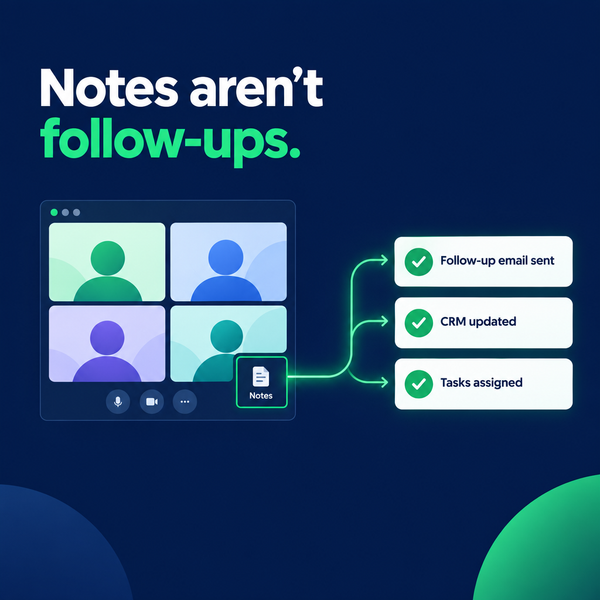
Workers can also join your Zoom, Google Meet, or Teams calls and handle the follow-ups afterward, which is often the first moment the rest of the team sees what a shared AI worker can do.
Key takeaways
- AI agents for teams work when the agent is a shared teammate with a job and a manager, not a personal chatbot per person.
- Per-seat pricing pushes AI to a handful of power users. Pricing by workers and work lets everyone in.
- Start with one shared, checkable job. Expand on evidence.
- Use roles to match access to need, and Guests to bring in outsiders safely.
- Make joining effortless with invite links or domain joining.
Bring your whole team into Spinnable
Spinnable workspaces give your team one shared home for AI workers. Invite as many people as you need with no per-seat charge, share workers across the team, and pay for work, not logins. New workspaces can start a 15-day Business trial without a card.